Free Chrome Extension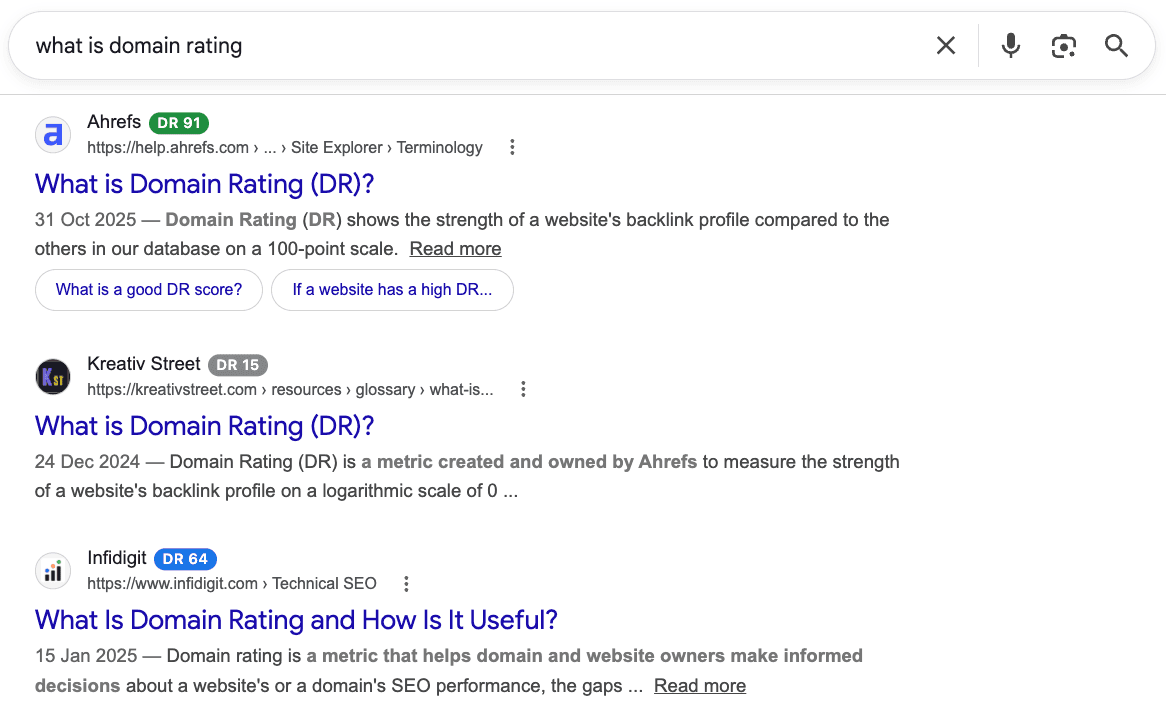
See Every Result's Domain Rating Before You Click
DR in SERP shows the Ahrefs Domain Rating next to every result on Google, Bing, DuckDuckGo and Brave, and inside Google's AI Overviews. Judge how strong a site is without opening a tab.
Add to Chrome
View on the Chrome Web Store Add to Chrome
Free. Works in Chrome, Brave, Edge, Arc & Opera.
- Free, no account
- Installs in seconds
- Private by default
ReadsGoogleBingDuckDuckGoBrave+ Google AI Overviews
 Google
 Bing
Bing DuckDuckGo
 Brave
BraveA #1 Ranking Doesn't Tell You How Strong the Site Is
You scan the page, click the result that looks right, and land on a domain with six backlinks and a template. A wasted click when you're researching, a wasted email when you're building links.
Two results can rank side by side with a huge gap in authority, and nothing on the page shows it. So you copy the domain into Ahrefs, wait, switch back, and repeat. DR in SERP does that for the whole page at once.
What Is DR in SERP?
DR in SERP is a free browser extension that shows the Ahrefs Domain Rating next to every organic result and AI Overview source on Google, Bing, DuckDuckGo and Brave. Domain Rating scores a site's backlink strength from 0 to 100, so you can read authority straight off the results page.
DR 91strong backlink profile·DR 12thin one
From Install to Insight in Under a Minute
- 01
Add It to Your Browser
One click from the Chrome Web Store. No API key, no Ahrefs account, nothing to set up. Works in Chrome, Brave, Edge, Arc and Opera.
- 02
Search Like You Always Do
Run any search on Google, Bing, DuckDuckGo or Brave. The extension stays asleep everywhere else.
- 03
Read the Domain RatingDR 72
Every result gets a color-coded DR badge. Open the side panel for the whole page ranked in order.
Free, With Limits You'll Rarely Hit
No paid tier, no credit card, no trial clock. Sign in only if you want history and a higher daily limit.
Without an Account
- 500 new-domain checks a month
- Cached domains stay free after that
- Nothing to sign up for
With a Free Google Account
- 500 new-domain checks a day
- Searchable lookup history and CSV export
- Synced across your devices
Runs only on search pages. It sends result domains for lookup, never your query or your identity, and shows no ads.
The Same Badges on Every Engine You Search
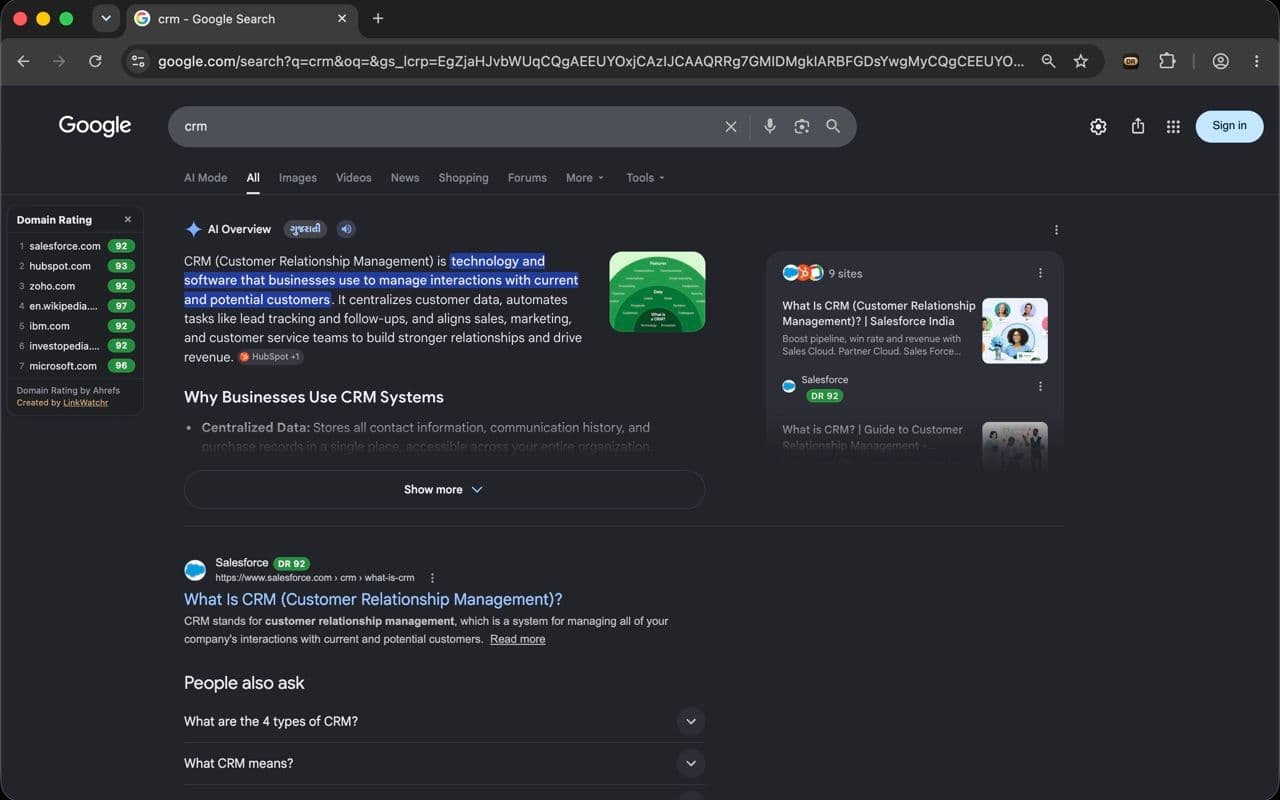
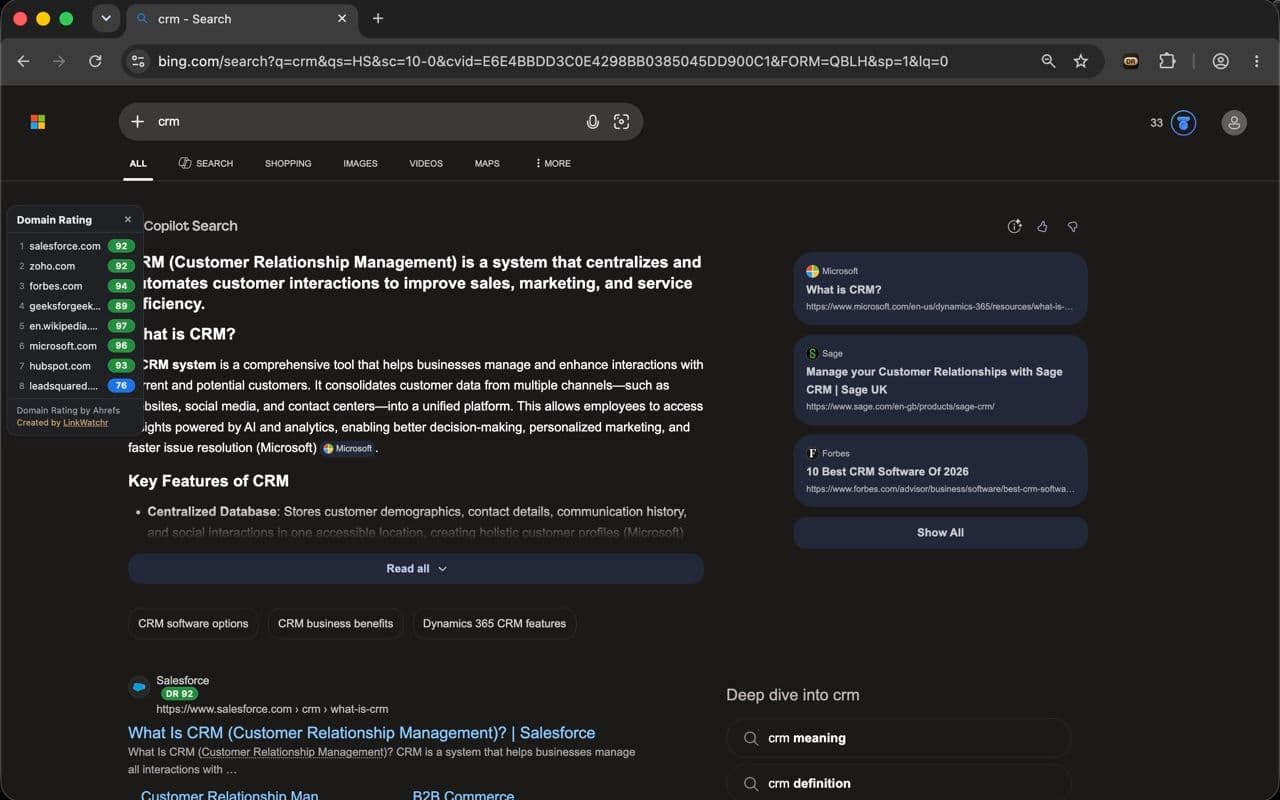
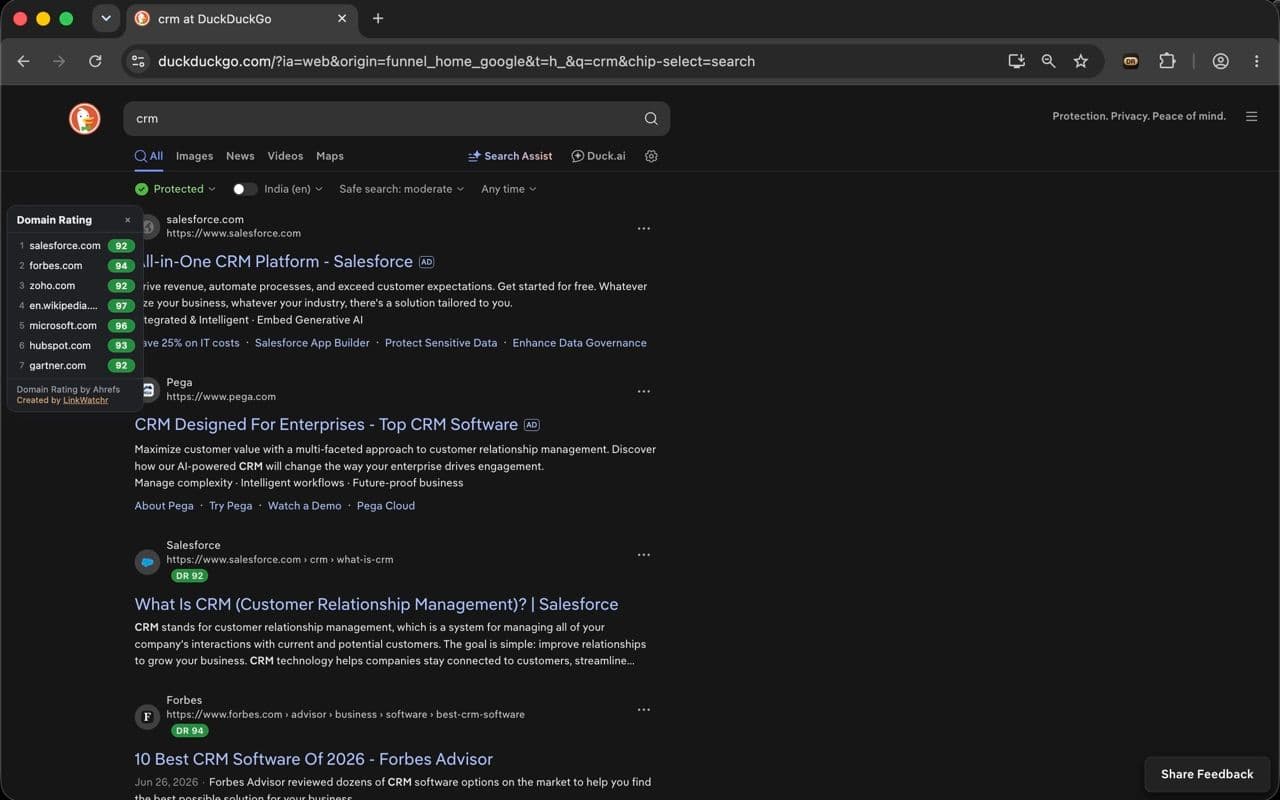
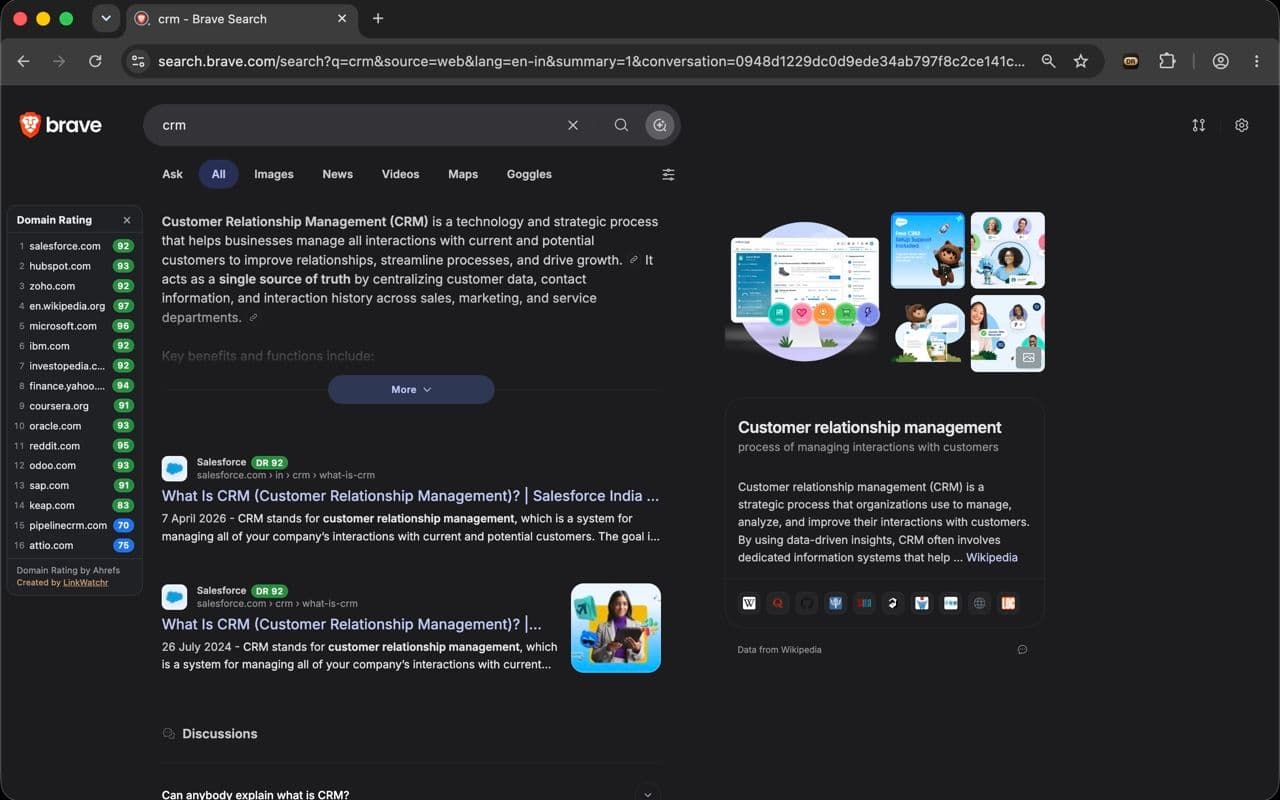
Google, Bing, DuckDuckGo and Brave all get the same treatment. On Google the badges reach the sources inside AI Overviews too.
Built for People Who Read SERPs All Day
A DR badge on every result
The extension reads each result's domain, looks up its Domain Rating, and drops a color-coded badge next to the site name. No extra tab, no copy-paste into Ahrefs.
Reads inside Google's AI answers
Badges show up on the sources cited in Google AI Overviews and AI Mode too, so you can judge the sites an AI answer is built on, not just the ten blue links.
Domain Rating side panel
A panel docks in the left gutter and lists every ranking domain in page order with its DR. Click a row to jump straight to that result. Toggle it off if you want badges only.
Lookup history & CSV export
Sign in with Google and every domain you check is saved with its DR, trend over time, the engines it showed up on, and the queries. Filter it, search it, export it.
Color-coded at a glance
Green is strong, gray is weak, and the shades in between map to DR bands. You read a whole page of authority scores without reading a single number.
Fast, and it stays out of the way
Results are cached for weeks and fetched a few at a time, so pages don't lag. The extension only runs on search pages, nowhere else.
How to Read the Colors
Domain Rating runs 0 to 100. Each badge is tinted by band, green at the top of the scale down to gray at the bottom, so you read a whole page of scores without reading a single number.
- DR 90DR 80–100
- DR 70DR 60–79
- DR 50DR 40–59
- DR 30DR 20–39
- DR 10DR 0–19
Checking DR by Hand vs. Reading It in Place
| Task | By hand | With DR in SERP |
|---|---|---|
| See one result's DR | Copy the domain, open Ahrefs, paste, wait | Shown inline, next to the result |
| Check a whole page of results | Ten domains, ten separate lookups | The entire page, scored at once |
| Judge Google AI Overview sources | Not covered by most tools | Badged like any other result |
| Cover Bing, DuckDuckGo and Brave | One engine at a time, by hand | Same badges across all four |
| Keep a record of what you checked | Paste into a spreadsheet yourself | Saved history and CSV export |
| Cost | Paid subscription | Free |
One Number That Saves a Hundred Tabs
Link Builders
Qualify a prospect list without leaving the SERP. If a site ranking for your target term sits at DR 8, you already know the outreach isn't worth the email.
SEO Analysts
Gauge how hard a keyword really is. Ten results all sitting at DR 80+ tells you more about the fight ahead than any difficulty score.
Content & Outreach Teams
Spot the strong publishers on a topic in seconds, and see which domains an AI Overview is quoting before you pitch them.
Researchers & Journalists
Weigh a source before you cite it. A high DR isn't proof of accuracy, but a near-zero one on a fresh domain is a useful flag.
Questions, Answered
It's the official Ahrefs Domain Rating. The extension reads it straight from Ahrefs and caches each domain for weeks, so the same site isn't looked up twice.
Any Chromium browser: Chrome, Brave, Edge, Arc and Opera. Install it from the Chrome Web Store and it runs in all of them. It doesn't run in Firefox or Safari.
Google (including the sources cited in AI Overviews and AI Mode), Bing, DuckDuckGo and Brave Search. Badges appear on the normal results plus Google's AI answer sources.
Yes, free, with no paid tier and no card. Signed out you get 500 new-domain checks a month, and cached domains stay free after that. Sign in with a Google account and it's 500 a day, plus lookup history and sync.
No. There's nothing to configure. Install it and your next search has the badges.
Those toolbars show a panel of metrics for the page you're currently on and usually need a paid login. DR in SERP does one thing well: it paints the Domain Rating onto every result in the SERP, including Google AI Overview sources, with no account. Use both: DR in SERP to triage the results page, a toolbar to dig into a single site.
The extension only runs on search result pages. Signed out, it sends result domains for lookup and nothing else. Not your query, and not your identity. There are no ads or tracking pixels.
No. Lookups run a few at a time and results are cached, so pages stay responsive. The extension is idle everywhere except search pages.
Add It Once. See DR on Every Search After.
One click to install, nothing to set up. Your next search already has the badges.
Add to Chrome
Free. Works in Chrome, Brave, Edge, Arc & Opera.
Built by LinkWatchr. When those hard-won backlinks are live, we watch them so you don't have to.
Monitor your backlinks with LinkWatchr